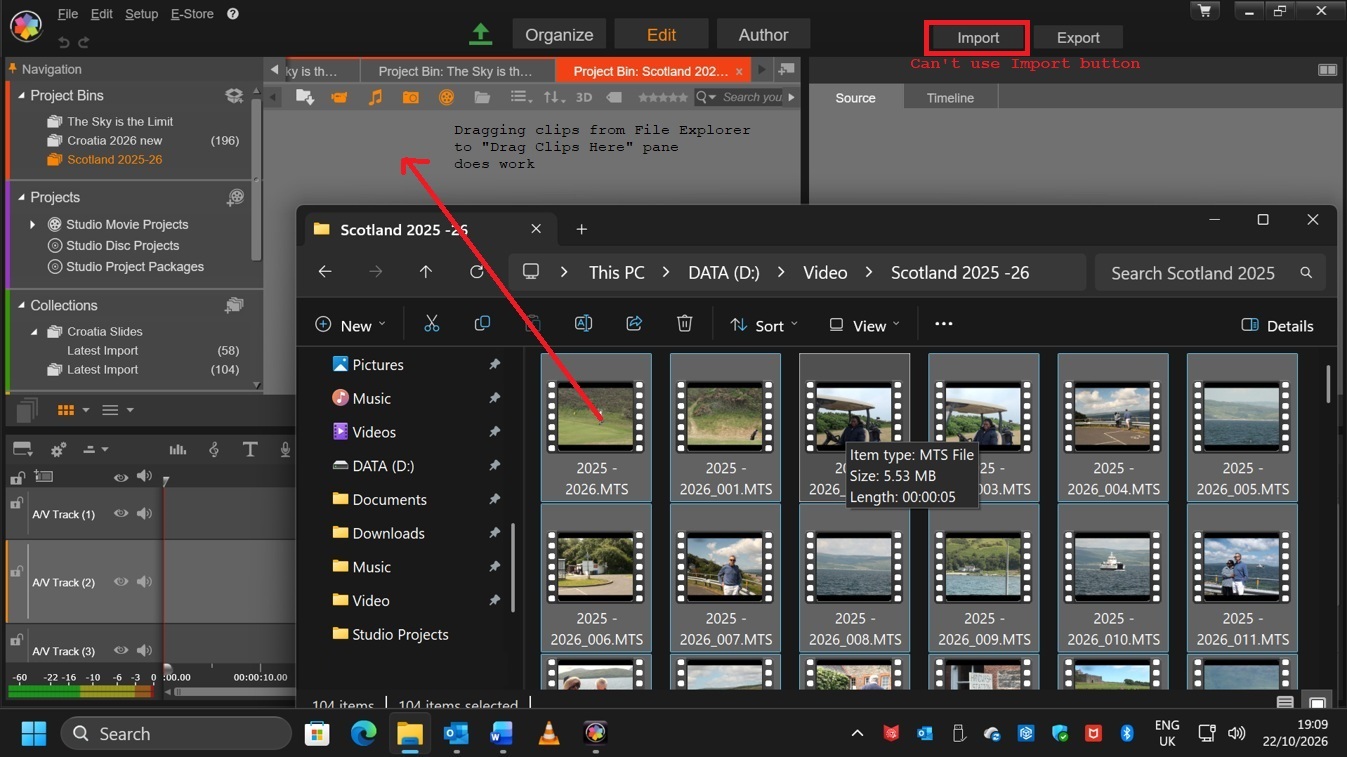
Using Pinnacle Studio 19 on a new Windows 11 PC such as a Dell Slim Desktop ECS1250 with an integrated Intel UHD 730 graphics card? Clicking the Import button causes a busy mouse pointer blue circle to appear for a few seconds and then instead of the File Open dialog appearing, the Pinnacle Studio 19 application crashes with no error message, closing suddenly and returning you to the Windows Desktop?
Answer: Try dragging and dropping video clips from a Windows 11 File Explorer window to the "Drag Clips Here" pane to the right of a new Project Bin. It worked for me.